
2026.6.3
With this latest release we've updated Chem-man with a few new features: the ability to enter chemical sale quotes, the addition of the 'Add Applied Info' to the job scheduling page per request, and the full release of help buttons.
Chemical Sales Quotes:
This new feature allows you to enter a quote for a chemical sale. This interface will be available through Chemical Sales -> Enter Chemical Sales Quote.
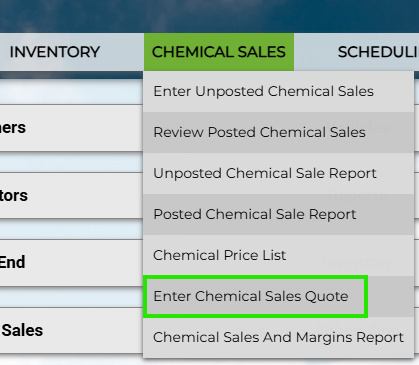
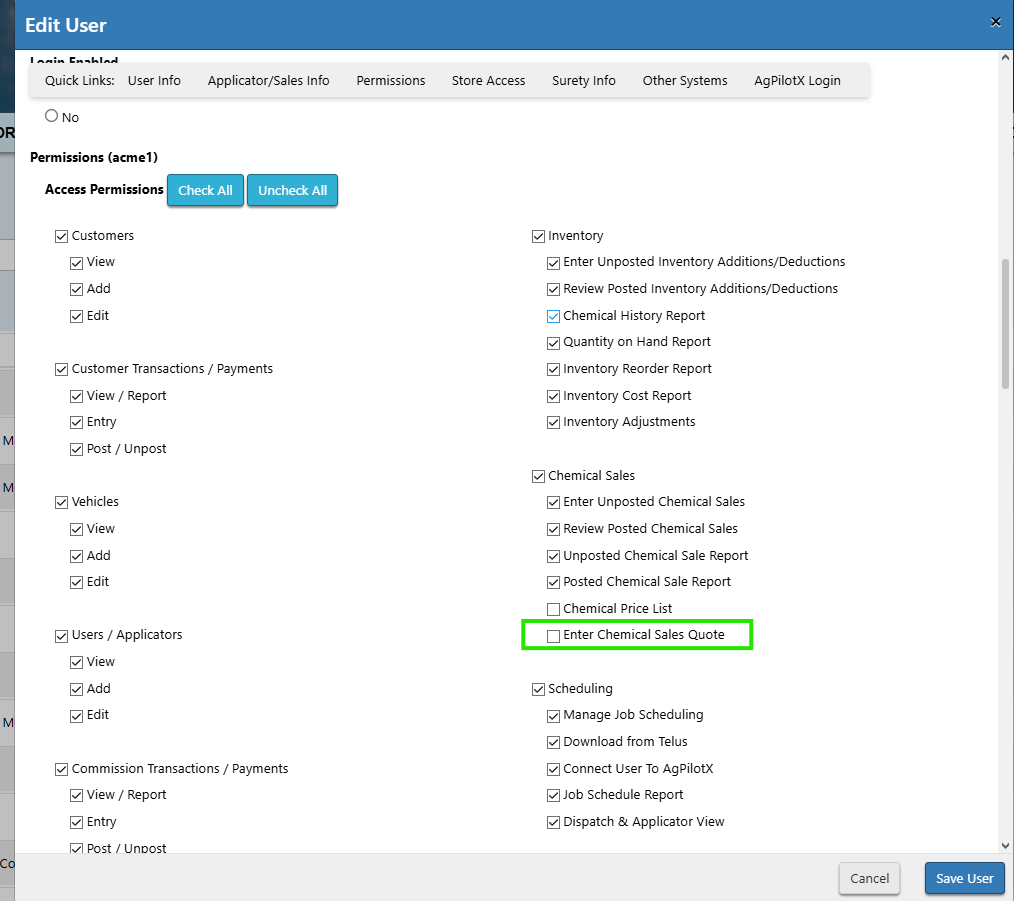
Instructions for Enabling Chemical Sales Quotes
If you wish to implement our new feature into your workflow, go to Setup -> Manage Users -> and click Edit next to the Username you wish to grant access to the quote system. The checkbox to enable Quotes will be underneath Chemical Sales.
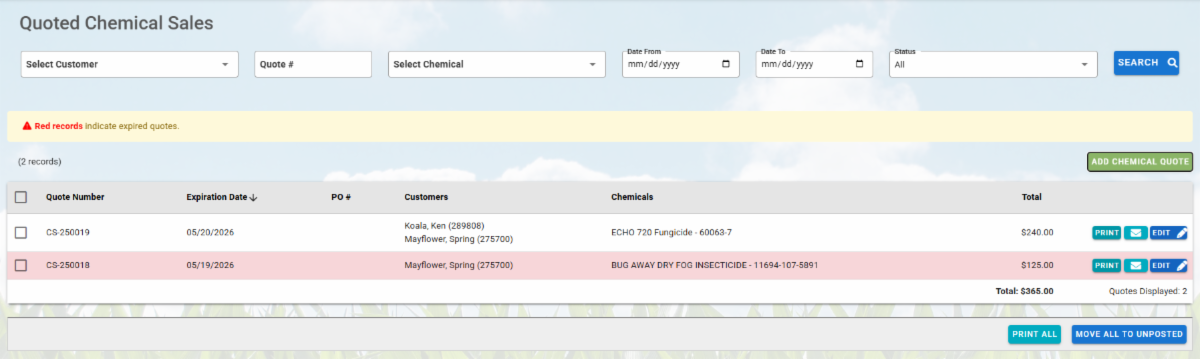
This screen stores potential chemical sales and has many features familiar from the Enter Unposted Chemical Sale Screen. Below is an example of Adding a Chemical Sale Quote on the top, and Editing a Chemical Sale Quote on the bottom.
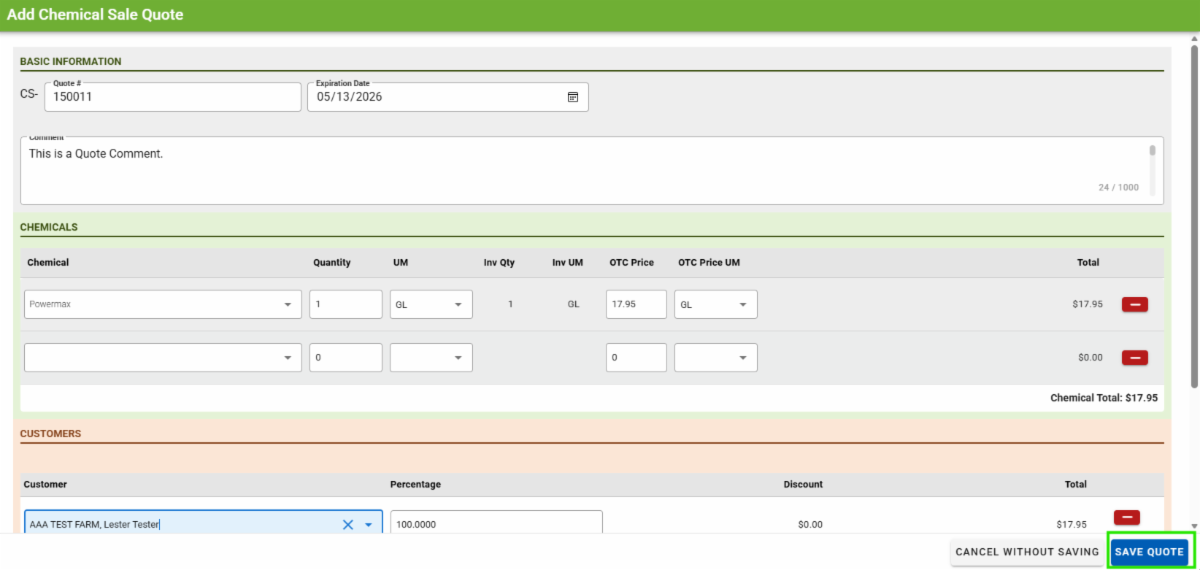
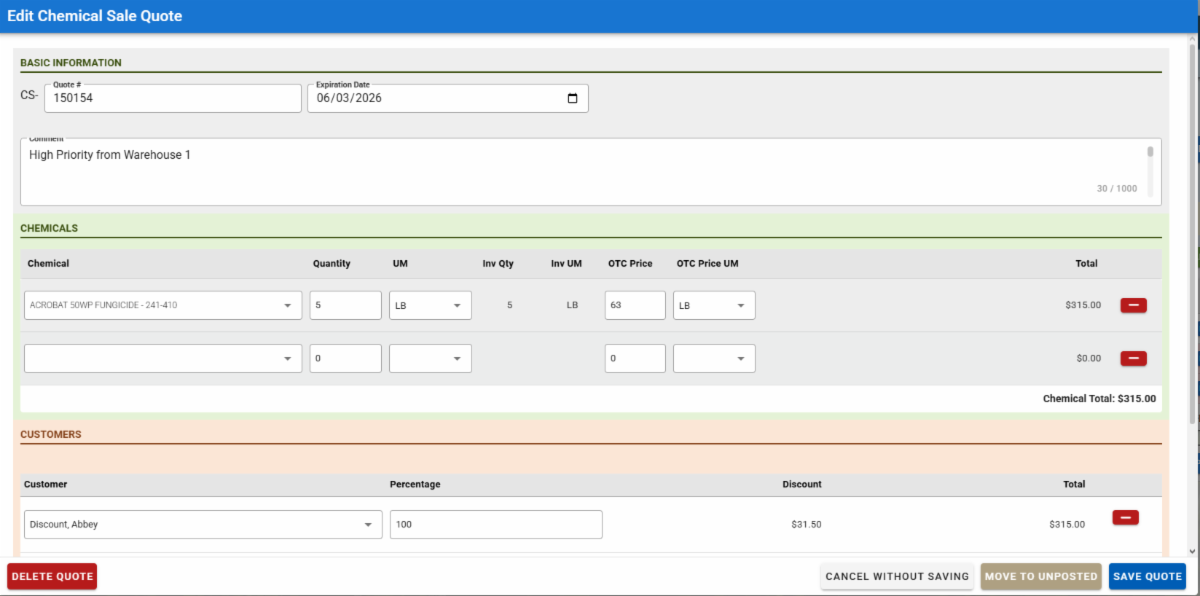
Once you enter your Quote Number, Expiration Date, and your associated chemicals and customer information, you can save the Quote. If the chemical sale quote is agreed upon, you can move it forward to the Unposted Chemical Sale Screen. If the chemical sale expires, it will show as red on the quotes screen.
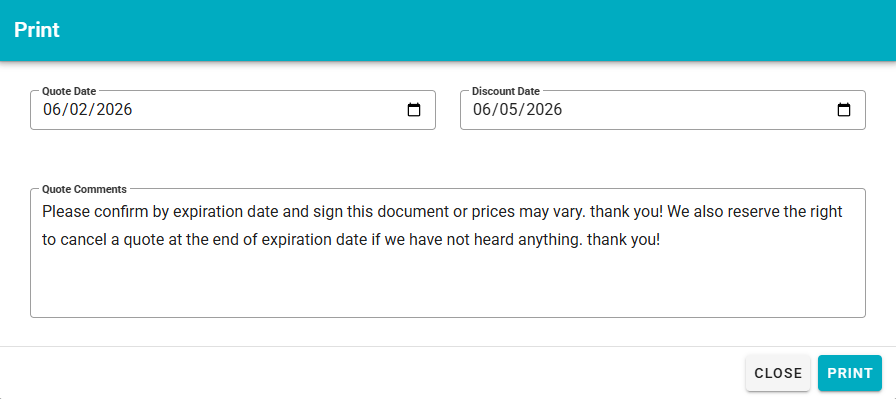
Upon clicking the Print button, you'll be able to enter in a Quote Date and a Discount Date for your quote, as well as Quote Comments. Below is an example.
Add Applied Info button on the Job Scheduling Page:
We added the option to directly Add Applied Info to the job scheduling page, making it easier for applicators to immediately add their application details without needing to enter the job itself.
This can be particularly useful for applicators operating multiple jobs on a mobile device, enabling a quicker workflow.

Updated Help Buttons:

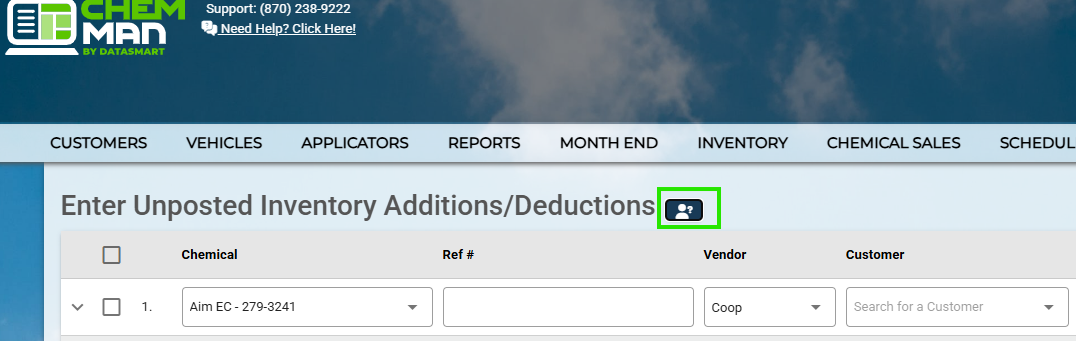
Next to the header on most of our Chem-man website pages, you will find a button that looks like this.
This help button provides information on the page's functionality for easy review. Here is an example on our Enter Unposted Inventory Additions/Deductions page:
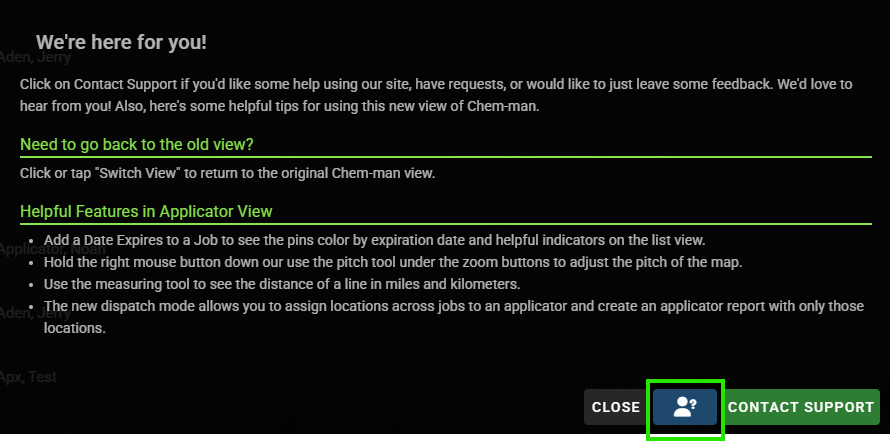
It can also be found on our New Dispatch and Applicator View by clicking "Need Help?" button in the bottom left corner.
We hope this information proves useful for your personal workflow! These are not a replacement for our staff; you are always welcome to call us with any questions, concerns, or circumstances.
We are happy to help!