
2025.12.10
Hello everyone!
Chem-man has released a new update to offer a few new features.
This update includes a few eagerly awaited features including the New Pilot View for Applicators in our new dispatching along with a new chemical database interface that works with Telus (formerly Agrian). They have an amazing chemical database and recently purchased the CDMS chemical database!
We've fixed an issue with users being unable to successfully create Custom Units of Measurements under Setup > Manage Units of Measure, this should be working appropriately now.
Our developers have released several new features as well as requested additions to existing features!
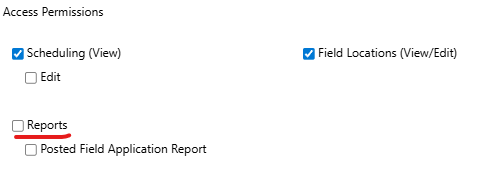
Farmer Logins can now be given permission to access their past jobs in a report format through "Posted Field Application Report". This is optional, and the permission but must be assigned through Utility > Manage Users:
The Invoice Commission Report now has a new column that will describe the line item a commission was applied to, this will help cut down on possible confusion over multiple lines appearing to be "duplicates".

On our new dispatching, we've added the "Select locations by Map" option

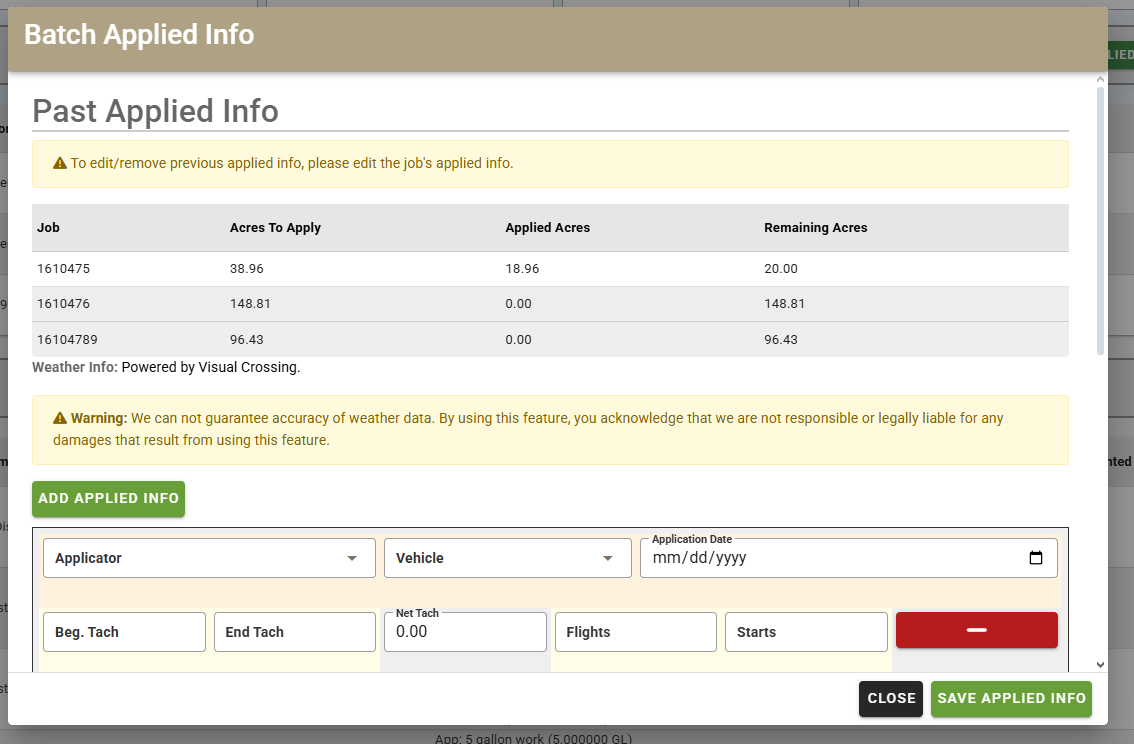
With our Original Batching method, we've added additional information to the Batch Applied Info page for an at-a-glance look at the acres that have not yet been applied!
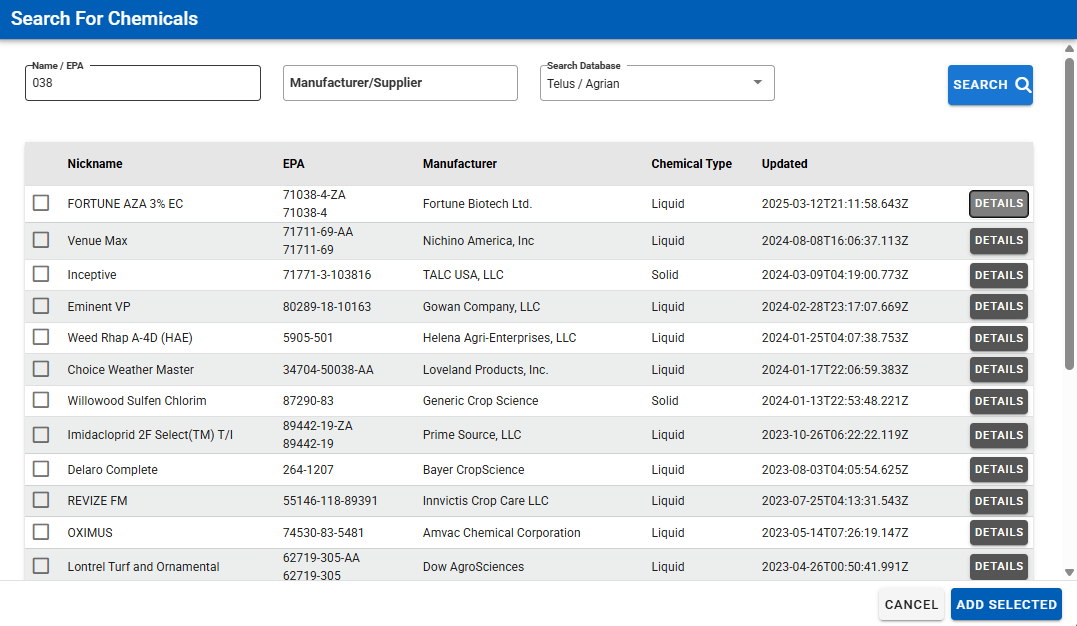
Our Setup > Manage Chemicals and Charges page has been updated!
This update includes the Browse Telus Database button giving you a quick option for pulling not only Chemical information in as a new chemical entry, but also pulling any label information that is already included in the Telus database!

If updated with Telus, your chemical will also have the option to print the label.

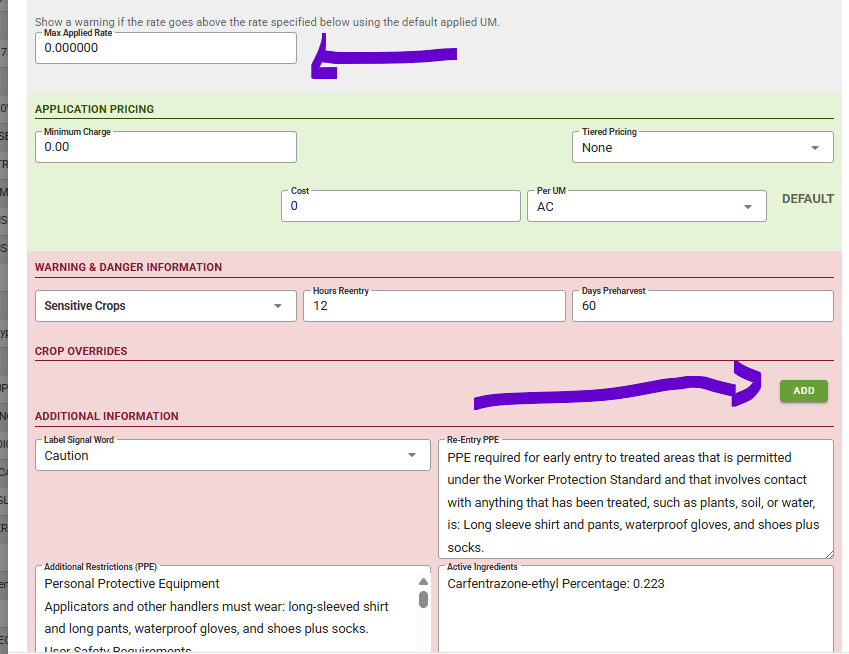
Notice that the Telus database will update your additional information section with detailed safety information. If this varies by crop, you can do a crop override. There is a place for "Maximum applied rate". In scheduling, if the rate entered is higher than the Max Applied rate in the chemical a warning will appear. The maximum applied rate is also available in the crop override.
Currently, this is manually entered. However we are working toward an interface with Telus to automatically fill this in.
Our Manage Chemicals page now includes a "Search Active Ingredients" field, this allows you to search through your chemicals for specific words that have been entered into that chemical's active Ingredients.

Scheduling a job and realize you forgot to add one of the locations into Manage Locations? You can now quickly add a location from the scheduled job itself. We've added a new button "Add Location" that will allow you to draw and assign a new location to the customer, once done and saved that location is automatically selected for the job as well!

Special Mention!
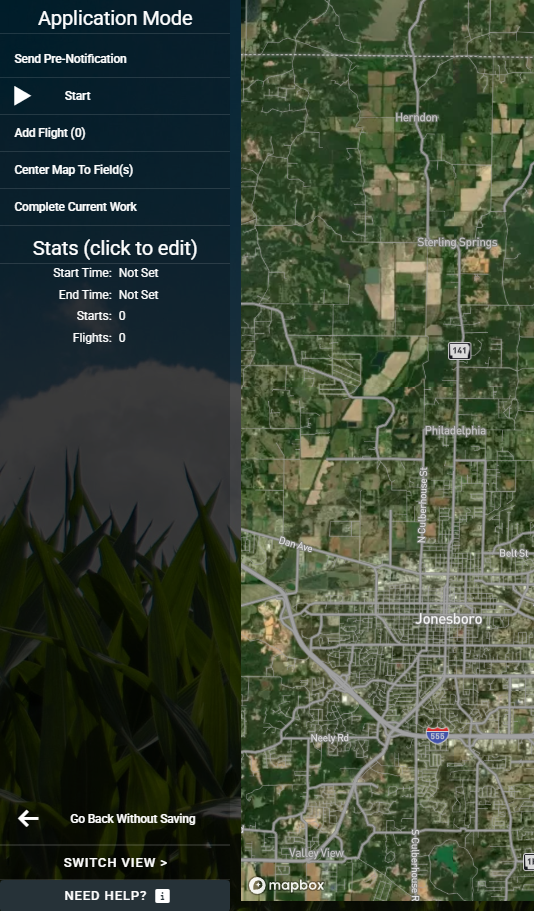
In our new dispatching option, we've also released our first stage of the Pilot View! This page allows applicators to have easier access to keeping track of their application. This includes the number of starts/stops, the start times, and the end times for their trips!
To access this page, your applicants will need the proper permissions for Scheduling assigned under Applicators > Manage Applicators. Then they can access the Pilot View by going to Scheduling > "New Dispatch & Applicator View" > Click on a job and click on the "Open in Applicator View" button.
Please note: There are often new reports that are created that you might be missing out on. Please check your permissions under manage users and see if you're missing an option.
We are planning on having a group webinar soon to go over our new features. We will email you soon on the date and time!